


Upgrading Your Home Office in Tervuren PC Mesh WiFi and Decor


A productive home office in Tervuren is defined by two things: a reliable mesh Wi-Fi network and a well-planned workspace that supports your focus and comfort. For English-speaking expats and remote workers upgrading their home office in Tervuren, PC mesh WiFi and decor choices are not optional extras. They are the foundation of a workspace that actually works. Systems like ASUS AiMesh paired with ergonomic furniture from brands such as Herman Miller or Steelcase can transform a spare room into a professional-grade office, even in a traditional Belgian stone house.
How to set up PC mesh WiFi in your Tervuren home office
Mesh Wi-Fi, also known as a whole-home Wi-Fi system, uses multiple nodes to distribute a single network across your property. This matters enormously in Tervuren, where older stone and brick construction absorbs radio signals far more aggressively than modern drywall.
Start with the main node placement. Place your main node close to your ISP modem or fibre box, connected via an Ethernet cable. You will need your ISP credentials if your provider uses PPPoE authentication. Download the manufacturer’s app before you begin. For ASUS AiMesh users, keep nodes within 1 to 3 metres of each other during the initial sync, then reposition them once the network map is confirmed.
Here are the key steps for getting your mesh network right:
Connect the main node to your modem with an Ethernet cable before powering on
Use the manufacturer’s app to run signal strength tests and confirm node placement
Position satellite nodes in open areas near power sockets, not inside cupboards or behind large appliances
Limit the distance between nodes on different floors to roughly 30 feet (about 9 metres) to maintain a strong backhaul link
Update firmware on all nodes before setup to avoid compatibility problems
Stone walls in Tervuren homes are the single biggest cause of dead zones. The fix is not simply adding more nodes. Too many nodes degrade performance in a typical home under 3,000 square feet. Three nodes or fewer is usually sufficient. What matters most is the backhaul, which is the connection between nodes. A wired backhaul, where nodes are connected to each other via Ethernet, delivers far better speed and stability than a wireless backhaul. If you can run a cable between floors, do it.
For 2026, Wi-Fi 7 capable systems offer noticeably lower latency and higher throughput, which is worth considering if you are buying new hardware. For Tervuren mesh WiFi support from an English-speaking specialist, Eutradesmen can handle the full setup for you.
Pro Tip: After repositioning your satellite nodes, check the LED indicator colour on each unit. Most mesh systems use a solid green or white light to confirm a healthy backhaul connection. An amber or red light means the node is too far away or obstructed.
What ergonomic furniture and decor work best for a home office?
Ergonomic furniture is the single most impactful decor investment for remote workers. Adjustable chairs and desks, combined with stable internet speeds of 50 to 100 Mbps, are the two pillars of a productive home office in Belgium. Herman Miller’s Aeron chair and Steelcase’s Leap V2 are the benchmark options for all-day sitting comfort. IKEA’s Markus and Järvfjället chairs offer solid ergonomic value at a lower price point and are widely available in Belgium.
Key decor choices that genuinely improve your workspace:
Adjustable desk: A sit-stand desk from Flexispot or IKEA’s Bekant range lets you alternate postures throughout the day, reducing back strain
Monitor arm: Mounting your screen on an arm from Ergotron or Amazon Basics brings the display to eye level and frees up desk space
Storage: Combine closed cabinets for cables and equipment with open shelves for books and plants to keep the room feeling organised without looking clinical
Colour scheme: Soft greens, warm whites, and muted blues support calm focus. Avoid high-contrast reds or oranges on large surfaces
Plants: A peace lily or pothos on your desk improves air quality and reduces the visual fatigue that comes from staring at hard surfaces all day
Soft furnishings: A small rug under your desk and curtains rather than bare blinds reduce echo and make video calls sound more professional
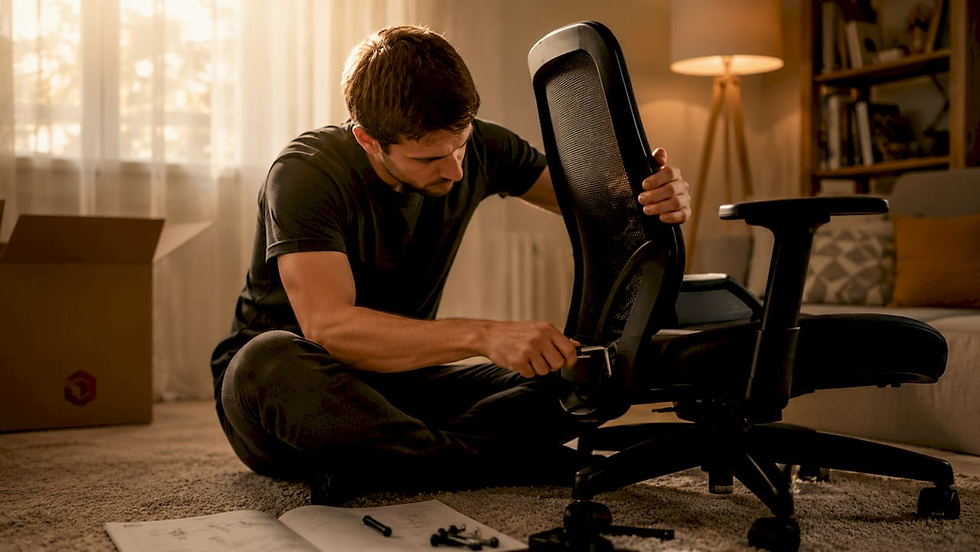
For furniture assembly and home decor installation in Tervuren, Eutradesmen’s team handles everything from flat-pack assembly to wall mounting and painting.
How should you light a home office to reduce eye strain?
Lighting is the most overlooked element of home office decor, and the research on it is clear. Increasing illuminance from 500 to 1000 lux significantly reduces fatigue and improves cognitive response speed. A 2026 MDPI study found that full-spectrum LED lighting produced lower sleepiness scores and faster task responses compared to conventional LEDs. This means your choice of bulb genuinely affects how sharp you feel at 3pm.
For desk lighting, 300 to 500 lux with glare control is the recommended range. Glare, not just brightness, is the primary cause of eye strain during long work sessions. Stable illuminance with glare control matters more than raw brightness for sustained productivity.
Lighting type | Recommended lux | Best use |
Desk task lamp | 300 to 500 lux | Direct work surface illumination |
Ambient room light | 500 to 1000 lux | General room fill, reduces contrast fatigue |
Full-spectrum LED | Matches daylight spectrum | Reduces sleepiness, improves focus |
Place your desk lamp to the side of your monitor, not behind or in front of it, to avoid reflections on the screen. A colour temperature of 4000K to 5000K (cool white) suits focused daytime work. Dropping to 2700K to 3000K (warm white) in the evening helps your body wind down after work.
Pro Tip: Philips Hue and LIFX both offer app-controlled bulbs that let you schedule colour temperature changes throughout the day. This is a low-cost way to apply human-centric lighting principles without rewiring anything.
Combining WiFi and decor upgrades: a practical plan
The most effective approach is to sequence your upgrades so that the technical work comes first and the decor follows. Running Ethernet cables through walls or under floors is far easier before furniture is in place.
Confirm your ISP connection speed and modem location
Plan mesh node positions based on your floor plan and wall materials
Run any Ethernet backhaul cables before moving furniture
Set up and test your mesh network fully before decorating
Arrange ergonomic furniture with monitor placement and cable management in mind
Install lighting, plants, and soft furnishings last
Noise-cancelling headphones such as the Sony WH-1000XM5 or Bose QuietComfort 45 are worth adding once your physical setup is complete. They complement a good Wi-Fi connection by keeping your calls clear even in a busy household. For a broader look at mesh WiFi for expats across Brussels and surrounding areas, Eutradesmen has published a dedicated guide.
Key takeaways - Upgrading Your Home Office in Tervuren PC Mesh WiFi and Decor
A productive Tervuren home office requires a correctly positioned mesh Wi-Fi system with strong backhaul, ergonomic furniture, and well-controlled lighting working together.
Point | Details |
Mesh node placement | Place the main node near your modem and limit inter-node distance to 9 metres. |
Wired backhaul first | Ethernet between nodes outperforms wireless backhaul in stone-walled Tervuren homes. |
Ergonomic furniture | Adjustable chairs and sit-stand desks from Herman Miller, Steelcase, or IKEA reduce fatigue. |
Lighting at 300 to 1000 lux | Full-spectrum LEDs at the right lux level reduce sleepiness and improve focus. |
Sequence your upgrades | Complete network cabling before placing furniture to avoid disruption. |

What we have learned from upgrading Tervuren home offices
Working in Tervuren homes over the years, the pattern we see most often is this: people buy a good mesh system, place the nodes in the wrong spots, and then blame the hardware. The walls here are genuinely thick. A node tucked inside a built-in wardrobe or placed directly behind a stone chimney breast will perform poorly regardless of the brand. The fix is almost always repositioning, not replacing.
On the decor side, the upgrade with the highest return on investment is almost always lighting. People spend significant money on chairs and desks but leave a single overhead bulb doing all the work. A decent desk lamp with the right colour temperature costs under €50 and makes a noticeable difference to how you feel after a full day of video calls.
If you are unsure where to start, or if you simply do not want to spend a weekend running cables and assembling flat-pack furniture, that is exactly what Eutradesmen is here for. We speak English, we know Belgian homes, and we give you a clear price before we start.
— Eutradesmen
Ready to upgrade your Tervuren home office?
Eutradesmen is a trusted English-speaking team with over 20 years of experience helping expats and remote workers across Tervuren, Brussels, Waterloo, and Leuven get their homes working properly. Whether you need a full mesh WiFi installation in Tervuren, furniture assembly, ergonomic desk setup, or a fresh coat of paint on your office walls, we handle it all. No language barrier, no guesswork, and no hidden costs.

Our services cover PC and Wi-Fi setup, handyman work, painting and decoration, electrical, and furniture assembly. One call gets you a free quote and a team that shows up on time and speaks your language.
Ready to solve your issue? WhatsApp +32 466 900 281 for a free quote today!
FAQ
What is a mesh WiFi system and why use one in Tervuren?
A mesh Wi-Fi system uses multiple nodes to spread a single network across your home. In Tervuren, where older stone construction blocks standard router signals, mesh systems are the most reliable solution for whole-home coverage.
How many mesh nodes do I need for a typical Tervuren home?
Three nodes or fewer cover most homes under 3,000 square feet. Adding too many nodes can actually degrade performance rather than improve it.
What is the best lighting level for a home office desk?
Desk lighting of 300 to 500 lux with glare control is recommended for reducing eye strain. Full-spectrum LEDs at higher illuminance levels also reduce fatigue and improve focus during long work sessions.
Can Eutradesmen set up mesh WiFi and decor in the same visit?
Yes. Eutradesmen offers combined handyman and IT setup services in Tervuren, so you can book WiFi installation, furniture assembly, and decor work together to minimise disruption.
What ergonomic chair is best for a home office in Belgium?
Herman Miller’s Aeron and Steelcase’s Leap V2 are the top choices for all-day comfort. IKEA’s Markus is a reliable, affordable alternative widely available across Belgium.
Contact Eutradesmen
WhatsApp: +32 466 900 281 Telephone: +32 2 808 70 31 Email: info@eutradesmen.com
Follow us everywhere
Instagram → https://www.instagram.com/eutrsdesmen/ Facebook → https://www.facebook.com/eutradesmen/ Threads → https://www.threads.com/@eutrsdesmen Bluesky → https://bsky.app/profile/eutradesmen.bsky.social TikTok → https://www.tiktok.com/@eutradesmenbelgium Pinterest → https://www.pinterest.com/eutradesmen/ Google Maps → https://maps.app.goo.gl/zjmYyCV1uADPj7QP6 YouTube → https://www.youtube.com/@Eutradesmen LinkedIn → https://www.linkedin.com/in/eutradesmen-belgium X Twitter → https://x.com/eutradesmen
#TervurenHomeOffice #MeshWiFiBelgium #HomeOfficeUpgrade #ExpatBelgium #TervurenExpat #PCSetupBelgium #WiFiSetupTervuren #HomeOfficeDécor #RemoteWorkBelgium #EnglishHandymanBelgium #EutradesMen #BrusselsExpat #WaterlooExpat #LeuvenExpat #HomeOfficeProductivity #ErgoSetup #BelgiumRemoteWork #EnglishSpeakingBelgium #TervurenLiving #HomeOfficeBelgium
Recommended


Comments